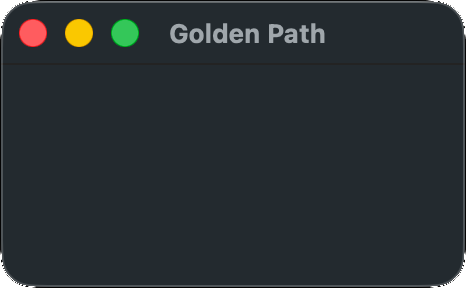
!Objective-C! Yes, we're using ObjC. I'm not happy about it, but it's the practical choice. While it is possible to access MacOS's APIs in C, you just have to write a ton of boilerplate to call the same functions.
Copy the above code into a file and name it main.m. Then open a terminal in the same directory and run the following command:
clang main.m -framework Cocoa
#import <Cocoa/Cocoa.h>
Cocoa is the extremely featureful framework for developing GUI apps on MacOS and iOS. It includes the ObjC runtime library, and multiple layers of Apple stuff. Huge, but fairly convenient. Built atop NeXTSTEP technologies from the late 80s, and still well-supported today. Apple has been pushing the Swift programming language and SwiftUI, but SwiftUI is built on Cocoa and ObjC is unlikely to be retired for the forseeable future.
    NSApplication *app = [NSApplication sharedApplication];
    [app setActivationPolicy:NSApplicationActivationPolicyRegular];
sharedApplication is the standard app initialization function in Cocoa. It initializes a connection to the window server and sets up various standard things. The ActivationPolicy must be set, and NSApplicationActivationPolicyRegular means this is a normal app which appears in the dock. If you're targetting ObjC23 or later, feel free to change the types of these ObjC objects to auto.
    NSMenu *menu_bar = [NSMenu new];
    NSMenuItem *menu_item_app = [NSMenuItem new];
    [menu_bar addItem:menu_item_app];
    [app setMainMenu:menu_bar];

    NSMenu *app_menu = [NSMenu new];
    [app_menu addItem:[[NSMenuItem alloc] initWithTitle:[@"Quit " stringByAppendingString:[[NSProcessInfo processInfo] processName]] action:@selector(terminate:) keyEquivalent:@"q"]];
    [menu_item_app setSubmenu:app_menu];
In order to have menu options in the top bar, like "File," "Edit," etc., you must add them yourself. I think it's good to at least add a quit option, and you can add more options from this base if you like. Note that ObjC generally requires NSStrings, not C strings, which can be made with the @ prefix. char* variables can be converted to NSStrings with @(myvar).
NSWindow *window = [[NSWindow alloc] initWithContentRect:NSMakeRect(0,0,640,480) styleMask:NSWindowStyleMaskTitled | NSWindowStyleMaskClosable | NSWindowStyleMaskMiniaturizable | NSWindowStyleMaskResizable backing:NSBackingStoreBuffered defer:YES];
We create a window here with the standard parameters. See the initWithContentRect documentation for all possible options.
[window setReleasedWhenClosed:NO];
It's best to set ReleasedWhenClosed to false so that, if the window is closed by the user, it's still available in memory for any operations you need to perform before closing.
[window setFrameAutosaveName:[window title]];
Enables automatic saving and loading of your window position and size.
[window makeKeyAndOrderFront:window];
Brings the window to the front and sets it as the focus window.
@interface Delegate : NSObject<NSApplicationDelegate, NSWindowDelegate> @end
@implementation Delegate
-(NSApplicationTerminateReply)applicationShouldTerminate:(NSApplication*)sender {
	quit = true;
	return NSTerminateCancel;
}
-(void)windowWillClose:(NSNotification *)notification {
	quit = true;
}
@end

    Delegate *delegate = [Delegate new];
    [app setDelegate:delegate];
    [window setDelegate:delegate];
Here we create our own object type which implements both NSApplicationDelegate, and NSWindowDelegate. These delegate classes are something the OS calls into to communicate with our app. There are many functions we can implement, but the only ones we need for now are applicationShouldTerminate (from NSApplicationDelegate), and windowWillClose (from NSWindowDelegate). We just set our quit variable to true and tell the OS to cancel the termination, since we're going to handle it. In a standard Cocoa app, you might hand off the run loop of your program to the OS, but games don't usually work that way.
Note that I didn't include declarations for the two functions in the @interface. They don't need to be declared there, because they're already declared in the NSApplicationDelegate and NSWindowDelegate protocols, which we inherit from.
    if (@available(macOS 14.0, *)) [(id)NSApp activate];
    else [NSApp activateIgnoringOtherApps:true];
activate sends a request to the OS to actually create and show the window, and start processing our app. The API was changed in MacOS 14 from activateIgnoringOtherApps:BOOL, to just activate. We can check at runtime which version we should call with the @available keyword. Generally, when Apple deprecates something, you can use this code to optionally call the new API on newer systems. This can keep your app working when Apple eventually removes the deprecated function. The (id) cast just prevents a compilation error on SDK < 14.
    while (!quit) {
        @autoreleasepool {
            for (;;) {
                NSEvent *e = [app nextEventMatchingMask:NSEventMaskAny untilDate:[NSDate distantPast] inMode:NSDefaultRunLoopMode dequeue:YES];
                if (!e) break;
                [app sendEvent:e];
            }
            [app updateWindows];
        }
        usleep (5000);
    }
On other operating systems it's reasonably possible to just create a window and pause for a few seconds before closing, but if we don't pump the event queue, MacOS will not show our window. We just retrieve each message, send it on, and, once we run out, update the UI and sleep for 5 milliseconds. I've used an untilDate of distantPast in order to check for events without blocking. Since we're not doing any drawing, we don't really need to call updateWindows, but you'll need it in any real application so I've included it.
The @autoreleasepool is an ObjC thing. Basically, whenever we call certain functions like nextEventMatchingMask, they may dynamically allocate objects - the event object, in this case. Many objects allocated by Cocoa and AppKit receive the autorelease message, and they can be released automatically at the end of an autoreleasepool block.
According to Apple, "Cocoa always expects code to be executed within an autorelease pool block." We have many Cocoa calls outside an autoreleasepool, but these are all called once at the start of the program and their objects are expected to be used until the program ends, so there's no need to release them. We can just let the program exit and all resources will be reclaimed by the OS.